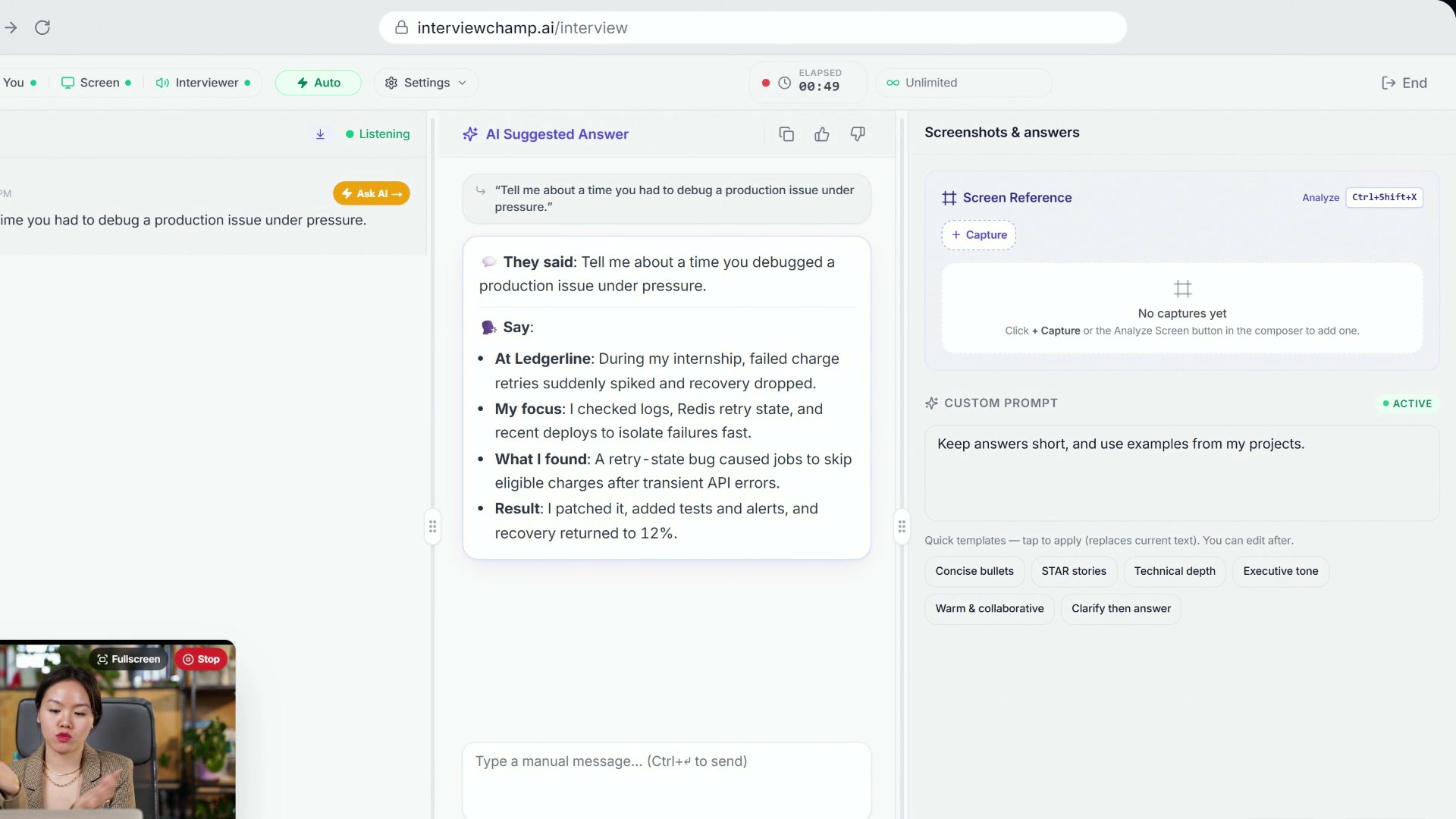
Auto-answer or ask when you want: getting answers in the InterviewChamp web app
Video · 0:36
There's a pill in the top-left of /interview that says either Auto (emerald) or Manual (amber). It's always visible in sessions mode (hidden in practice mode). One click toggles between them.
What changes
- Auto: When the interviewer finishes asking a question, the AI answers it by itself within ~300 ms. You don't have to touch anything. It waits for the interviewer to finish, and it can skip lines that aren't a question for you (like "Great, thanks for sharing that.").
- Manual: The AI never fires on its own. You decide when to trigger an answer —
Ctrl+Enter/⌘+Enter, the AI Answer button at the bottom of the answers panel, or the Ask AI button that shows when you hover an interviewer line in the transcript.
New sessions start in Auto. To start every session in Manual instead, turn off Auto-Answer in Settings › Account. You can still switch any single session with the pill.
When to leave it ON
- You're in a high-volume technical screen where back-to-back questions don't leave time to click
- You want the AI's outline ready before you start speaking your answer
When to keep it OFF
- Behavioral interview with reflective pauses — interviewer asks, you think, the AI shouldn't pre-empt that.
- Compliance-sensitive roles — you want explicit control over every AI invocation.
- Flaky internet — Auto can mis-fire on stuttering audio. Manual lets you re-trigger cleanly.
Where it lives
Top-left of the live-session topbar, one click away, so you can switch between Auto and Manual without opening a menu. The same switch is also in the Settings (gear) menu.
What it doesn't do
- It doesn't change what the AI answers — only when it fires. Answer style, model, custom prompt all still apply.
- It doesn't disable manual
Ctrl+Enter— even when Auto is ON, you can still force-fire with the shortcut. - It doesn't affect Practice mode (where the AI is the interviewer, not the answerer).
Still stuck?
Switch to Help & how-tos → Contact us with category "How do I…?" and tell us what you were expecting vs what happened.
Still stuck?
Sign in and message the founder directly from the Help & how-tos tab. Every reply comes from a real person, usually within a few hours.
Contact us