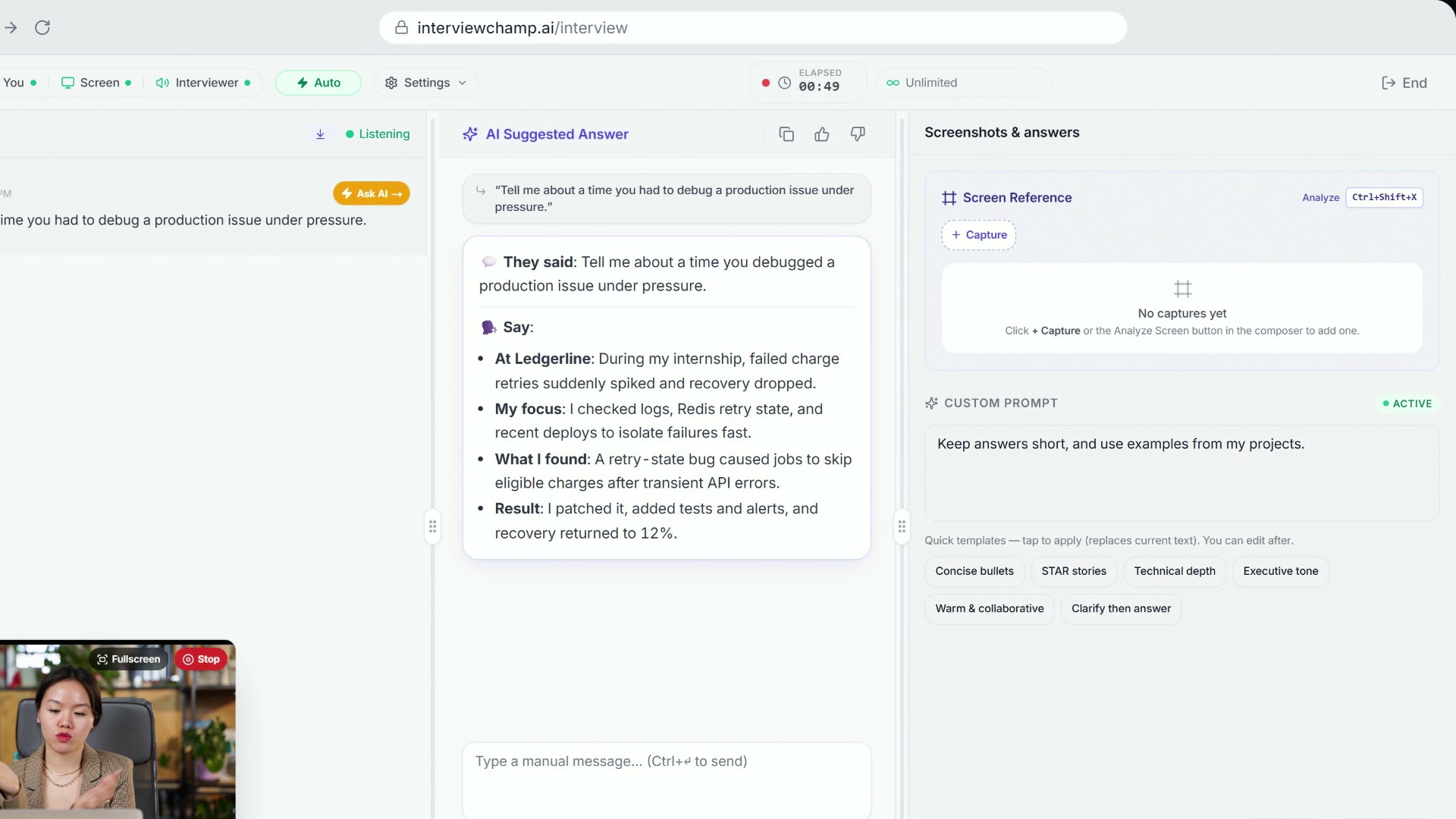
How to use InterviewChamp in your browser during a live interview (full walkthrough)
Video · 2:44 · 8 chapters
On the right side of /interview, under Screen Reference, there's a text area labeled Custom Prompt. Type any instruction there, or tap a starter like STAR stories or Concise bullets to fill it in; it saves by itself. Every following AI answer reads it as a system-level hint. It lasts the whole session — clear it when you want it gone. In the video:
What you can put in it
Specific guidance you want the AI to apply to every answer. Examples that work well:
- "Focus on my experience at Stripe and de-emphasize Toptal contracting."
- "Use STAR structure but skip the Result section if it's <30 words."
- "This interviewer is the Director of Engineering — assume they care about scale, not just code."
- "I'm targeting Series-B startups, lean toward 'I built X solo' framing."
- "Reference my CMU master's wherever it fits the question."
- "Avoid jargon — interviewer is a recruiter, not an engineer."
The custom prompt is additive to your answer style, model, resume, and the question itself. It doesn't replace any of those — it layers on top as steering.
When to use it
- Mid-interview, you realize the interviewer cares about something specific. Type it in immediately, every following answer pivots accordingly.
- Targeting a specific company / role. Set it before the session: "Pivot answers toward [company]'s focus on [specific area]."
- Skipping a section of your background. Maybe you're not proud of a particular role and want to never bring it up: "Don't reference my time at [company]."
- Format constraint. "Maximum 60 words per answer." — the AI will tighten everything.
When NOT to use it
- Don't write a script. "Always say X" produces robotic answers. Use it for direction, not lines.
- Pick the look in Answer style. Quick points, Conversational, Simple or More human live in topbar Settings; use Custom Prompt for content steering. If your custom prompt asks for a different format, it wins.
- Don't paste sensitive data. The custom prompt is sent to the AI provider with every request. Don't put credentials, NDA-protected info, etc.
How it interacts with other settings
| Setting | Wins when conflicting |
|---|---|
| Answer style | Answer style sets the look. Custom prompt wins the content, and wins the format if it asks for one. |
| Model | No conflict — the prompt is fed to whatever model is selected. |
| Resume | Resume is treated as ground truth about your background; custom prompt steers WHICH parts to emphasize. |
| Inline advice | The AI still surfaces advice pills; the prompt influences which sources it cites. |
Gotchas
- Long prompts cost tokens. Each request includes your full custom prompt. A 500-word prompt at 5-8 questions per session adds up. Keep it tight.
- The AI follows the spirit, not the letter. If you say "never use bullets," it might still use bullets occasionally when the question structure demands them. The model isn't a strict template engine.
- Switching mid-session is fine. Update the text; the next answer reflects the new prompt.
Still stuck?
Help & how-tos → Contact us with category "How do I…?" — tell us what steering you wanted and what the AI did instead.
Still stuck?
Sign in and message the founder directly from the Help & how-tos tab. Every reply comes from a real person, usually within a few hours.
Contact us