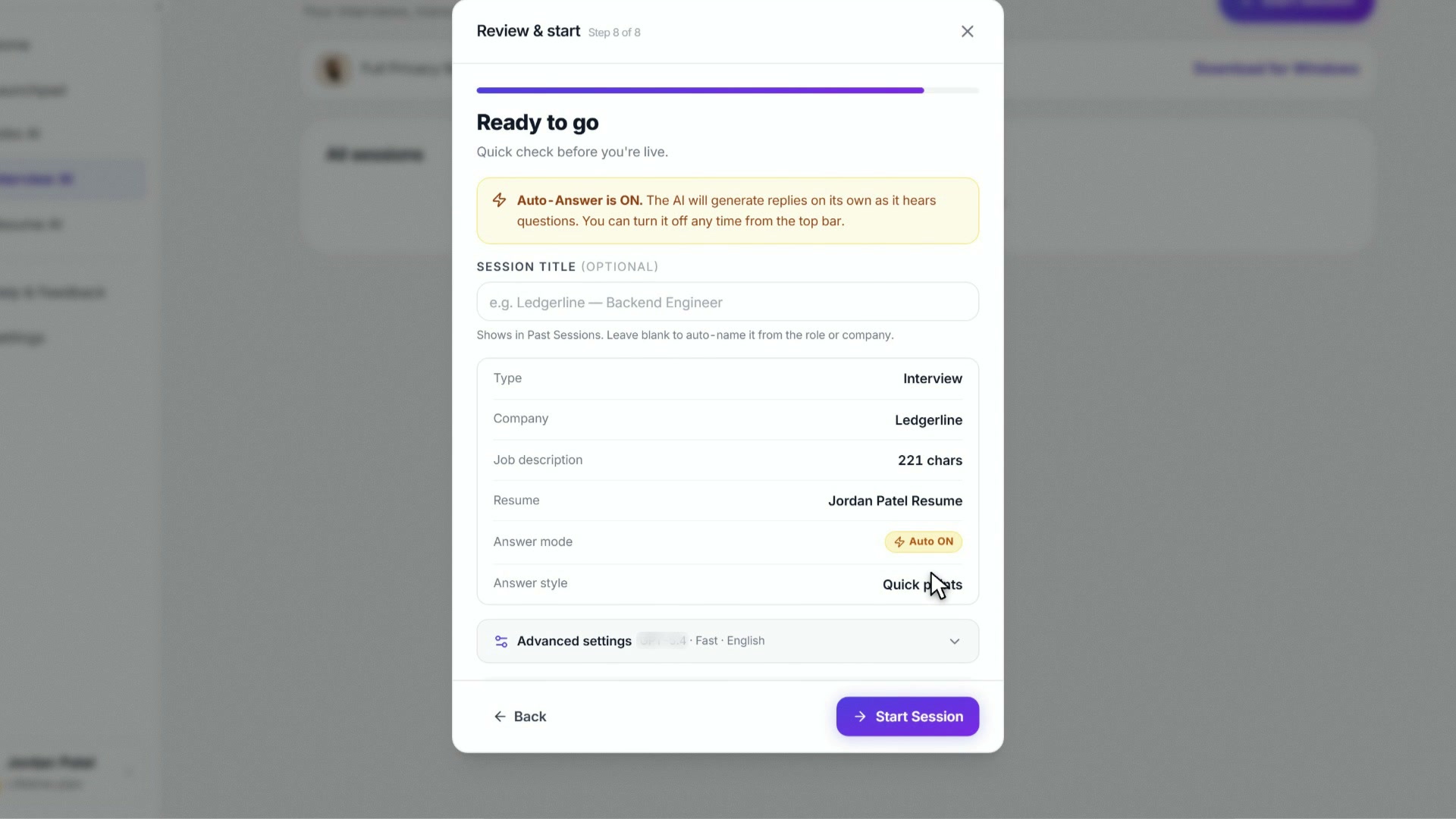
How to set up an interview session in the InterviewChamp web app
Video · 1:40 · 2 chapters
When you click Start Session in Interview AI, the first decision is session type. Two options today: Interview (default) and Regular Call. They're different flows with different defaults.
Interview (default)
Use this for actual job interviews — recruiter screens, hiring-manager rounds, technical screens, on-sites.
What you get:
- Interview notes at session end (what you nailed, what to sharpen)
- AI defaults to interview-coaching framing ("answer as if you're a candidate")
- Coaching nudges tuned for behavioral / technical interview patterns
- Answers default to Quick points (a few bold points to glance at and say)
- Auto-Answer is on unless you've turned it off in Settings › Account — the AI answers each interviewer question by itself (switch it off to fire manually)
- Session counts toward your interview history on
/sessions - Transcript is saved + indexable, used to grade you against the rubric
Regular Call
Use this for everything else where you want a live AI assistant but it's not a formal interview:
- Sales calls — AI suggests counter-arguments, objection handling
- Customer-discovery interviews — AI surfaces follow-up questions
- Networking chats — AI suggests pivot points
- Recruiter intro calls — softer than a real interview
- Coaching / mentoring sessions — AI is in suggestion mode, not interview-prep mode
What's different:
- No scorecard. The rubric doesn't apply because the call isn't an interview.
- AI defaults to assistant framing — less "answer this question as a candidate," more "be useful in this conversation."
- Coaching nudges are softer — less "use STAR," more "what they actually asked was X — answer that."
- Reference document uploads available per session — see Resume AI — but capped per plan tier (Free=1, Hour Pack=1, Pro=2, Pro+=3 per session).
- Same models, same answer styles, same shortcuts — only the framing changes.
Why "Practice" is no longer an option
Earlier versions had a third session type called Practice where the AI acted as the interviewer asking you questions. It was retired 2026-04-22 as part of the core-product strip — /practice now redirects to /sessions. An AI interviewer is back as its own feature: Mock AI in the sidebar, which asks you questions out loud and gives you a report card. Mocks are separate from your sessions and never show up here. See Mock AI.
Picking when you're unsure
- Is the other person hiring you? → Interview
- Is the other person evaluating you? → Interview
- Is the other person buying from you? → Regular Call (sales)
- Is the other person mentoring you? → Regular Call
- Default if confused? → Interview. Scorecard at the end is bonus signal even if it's not strictly an interview.
Where these settings live
You pick the session type when you start a session, in the Start Session window on the Sessions page. It's saved with that session. Your other settings (model, custom prompt) start from what you used last time.
Gotchas
- You can't switch type mid-session. Pick at start. To switch, end the current one and create a new one.
- Regular Call uploads are session-scoped. Documents uploaded in one Regular Call don't appear in the next one. Re-upload if needed.
- Both types use the same hour-counting. Free 60-min/month cap applies to both equally.
Still stuck?
Help & how-tos → Contact us with category "How do I…?" if you want a third session type for a specific use case.
Still stuck?
Sign in and message the founder directly from the Help & how-tos tab. Every reply comes from a real person, usually within a few hours.
Contact us