Web App3 min read
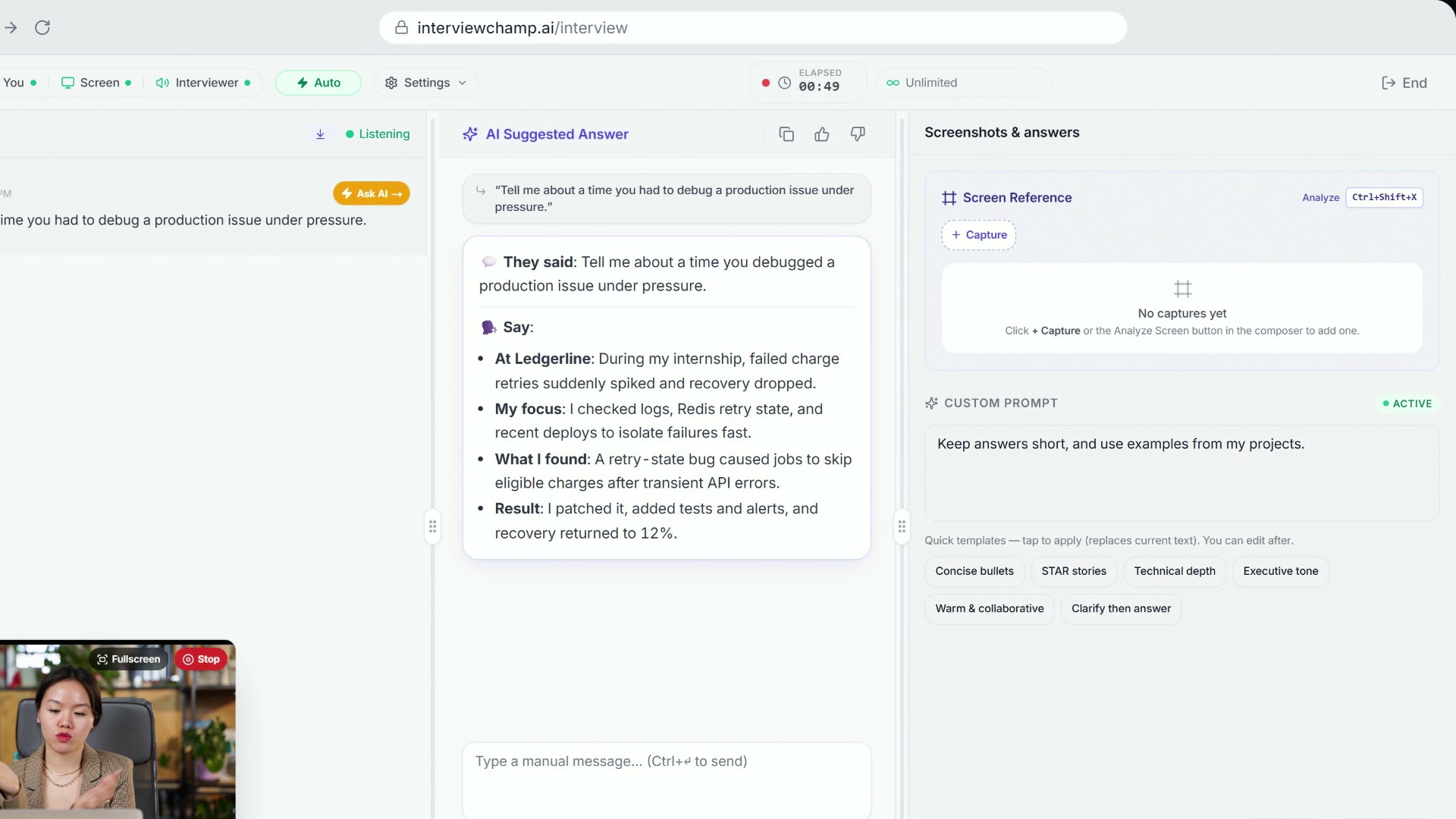
How to use InterviewChamp in your browser during a live interview (full walkthrough)
Video · 2:44 · 8 chapters
Pick how your answers look on screen. There are four styles, and your pick is saved to your account, so the website, your phone and the desktop app all show answers the same way.
Where to pick it
- When you start a session — the Answer style step shows a card for each style, with a sample answer, so you can see the difference before you choose.
- During a session — open Settings (gear icon) in the top bar and tap a style under Answer style. The next answer uses it.
- Desktop app — the last setup step has the same cards, and the toolbar's Settings button (the sliders) has Answer style during a session.
In the video:
The four styles
| Style | What you get | Best for |
|---|---|---|
| Quick points (default) | A short They said line, then Say with 2-4 bold points, one short sentence each | Glancing mid-call and speaking from it |
| Conversational | A full answer, written the way you'd say it (STAR stories for behavioral questions, code for coding questions) | When you have a moment to read |
| Simple | Plain, everyday words. A few short sentences. No jargon | Easy to say, easy to follow |
| More human | Relaxed and natural, in your own voice. Doesn't sound like AI | Sounding like yourself |
The style changes how the answer looks, not what it knows. Your resume, the job description and your custom instructions still shape every answer.
Good to know
- Regular Calls use it too. Sales, support and other call templates keep their own tips; only the layout changes.
- Practice mode is different. In practice the AI plays the interviewer, so it keeps its own coaching format.
- Your own instructions still count. Anything you write in Custom Prompt is added on top of the style.
Still stuck?
Help & how-tos → Contact us with category "How do I…?".
Still stuck?
Sign in and message the founder directly from the Help & how-tos tab. Every reply comes from a real person, usually within a few hours.
Contact us