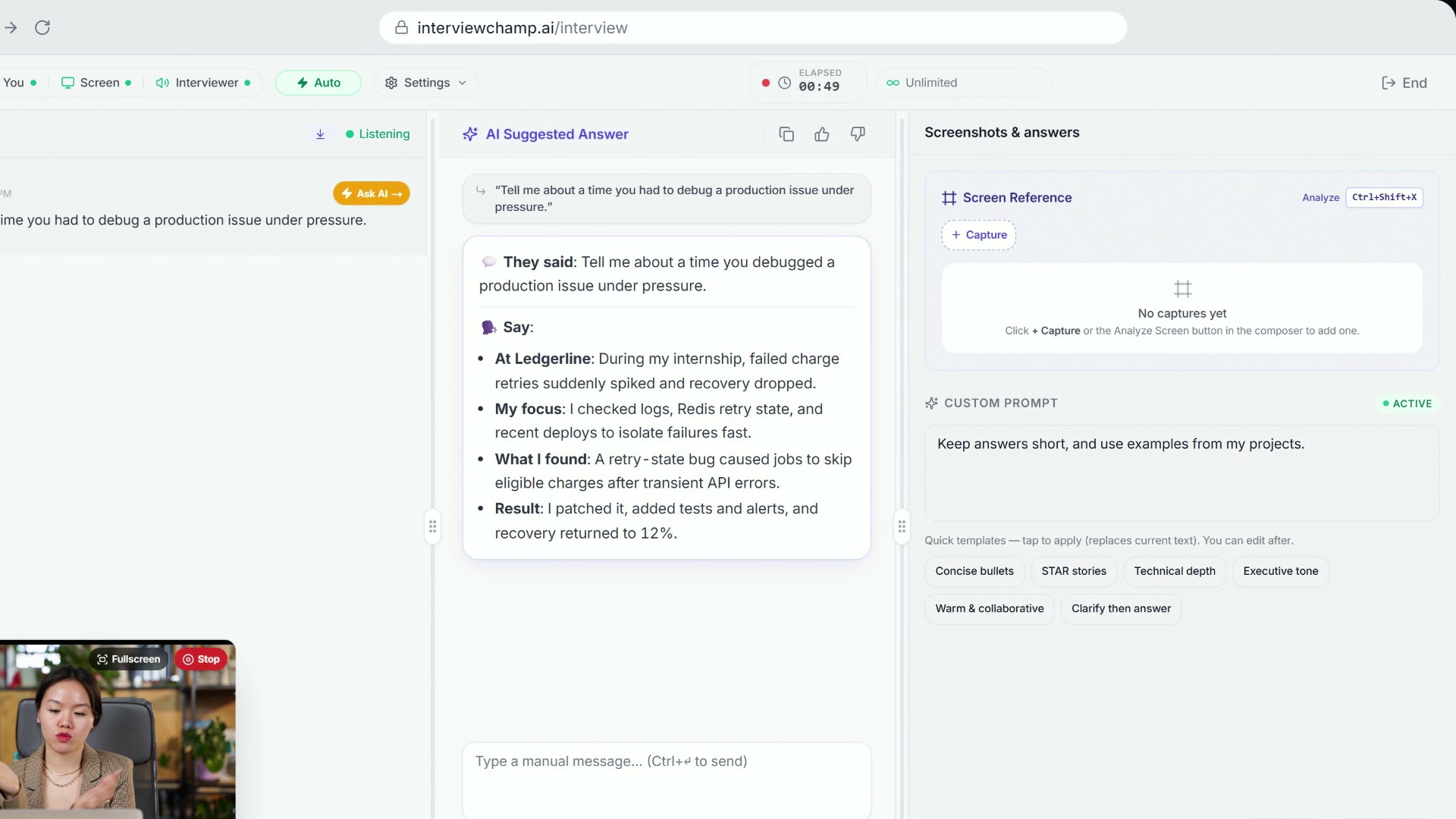
How to use InterviewChamp in your browser during a live interview (full walkthrough)
Video · 2:44 · 8 chapters
Topbar Settings (gear icon) → toggle Coaching tips (in the video: ). When on, a rule-engine fires small nudges in a thin amber strip above the AI answer during your speaking turn (not the interviewer's). Off by default — opt-in feature.
What it does
While you're answering a question, the AI watches the live transcript for patterns that often hurt candidates and surfaces a tiny nudge in real time. Examples:
- You've been talking for 50+ seconds → "Wrap it up — 50s is past the listener attention span. Pause and check if they got it."
- Filler words creeping in ("um", "like", "you know") → "Fillers creeping in — pause silently instead."
- No number in your answer → "Land with a number next time — 'improved X by 40%' beats 'significantly improved'."
- A behavioral question → "STAR format — Situation, Task, Action, Result."
Each nudge is one line, glanceable in <1 second. It fades after a few seconds, and nudges are spaced out — at most one every 30 seconds.
When to leave it ON
- Practice sessions — learn your verbal tics without an interviewer's pressure
- Recorded mock interviews — watch the playback later with nudges as breadcrumbs
- Long-form behavioral rounds — easy to ramble; nudges keep you tight
- High-stakes screens where you tend to rush — the "slow down" nudges are especially good
When to turn it OFF
- Live job interview, first time using it — context-switching to read a nudge while talking is a learned skill. Practice with it first.
- Coding round — coaching is calibrated for verbal patterns; in a coding round you're typing more than talking. Less useful.
- Anxiety-sensitive moments — for some people, the nudges feel like another voice judging them. Off until you're comfortable.
Where the nudges come from
The nudges come from fixed coaching rules ("if X, then Y") written with interview-prep coaches. They run in your browser as you speak, not as an AI request. That makes them:
- Fast enough to show up in real time
- Predictable: the same answer always gets the same nudge, so you can learn from them
- Free: they run on every plan, including Free
Inline advice pills are different
There's a separate setting: Live coach (also in topbar Settings). That feature surfaces colored pills inside AI answers (e.g., 🟣 resume, 🟢 jd) tying suggestions back to specific data sources. See Inline advice pills for that. Both can be on simultaneously — they cover different moments (your turn vs the AI's answer).
Gotchas
- Nudges fire on transcription, not your meaning. If the AI mishears you, the nudge can be wrong. Especially on accented speech with poor mic — verify Speechmatics is hearing you correctly via the live transcript panel.
- No nudges = silence is OK. Some answers don't trigger any rule. That's the rule-engine choosing not to interrupt — not a bug.
- Toggling mid-session is fine. No state carryover; the rule engine just stops watching.
Still stuck?
Help & how-tos → Contact us with category "How do I…?" — also tell us what behavioral nudge you wish existed but doesn't. The rule list grows from user feedback.
Still stuck?
Sign in and message the founder directly from the Help & how-tos tab. Every reply comes from a real person, usually within a few hours.
Contact us