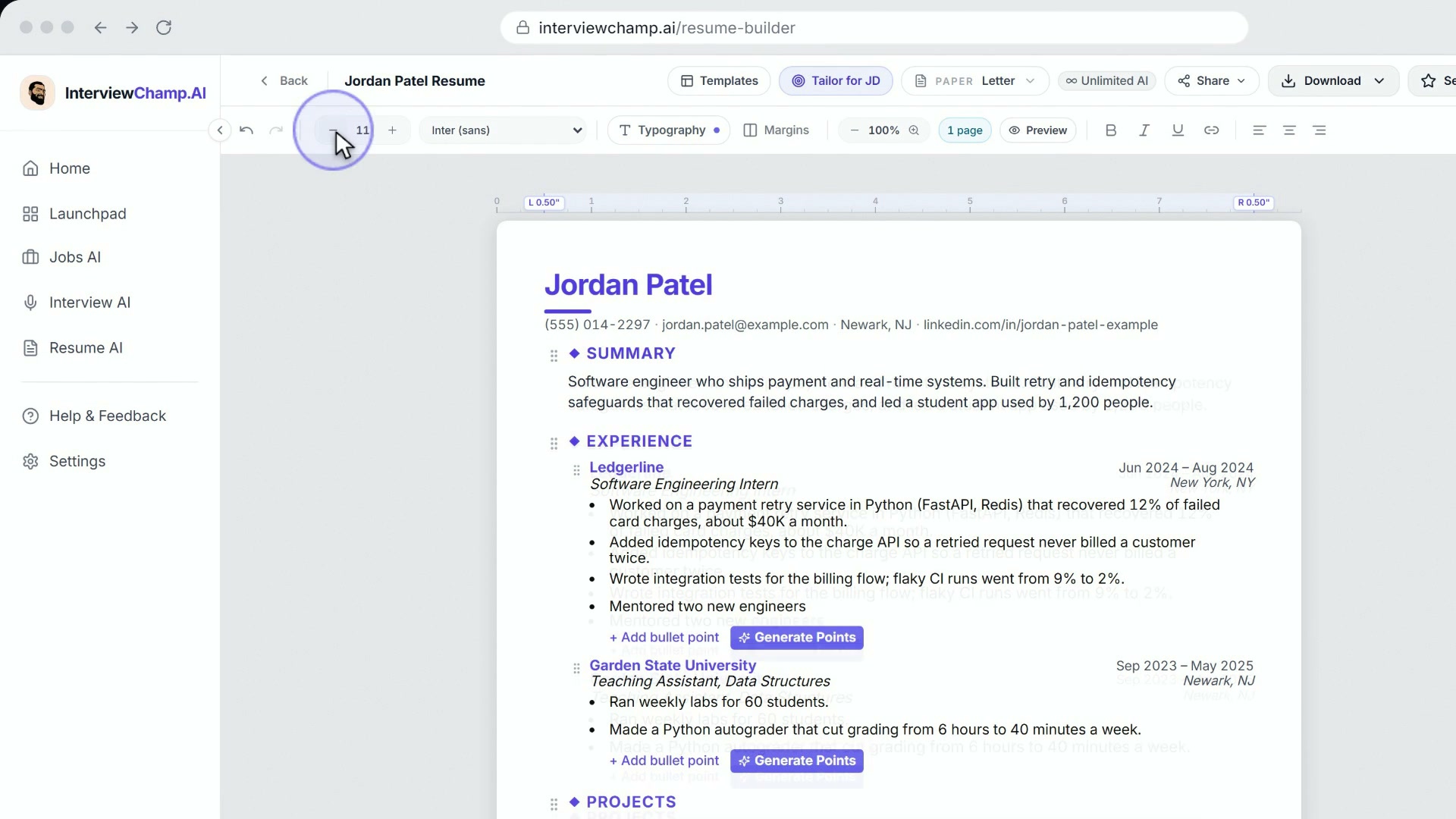
How to build your resume with AI in the InterviewChamp Resume Builder
Video · 5:09 · 8 chapters
Open a resume in the resume editor (/resume-builder/[id]) and every bullet point gets a small sparkle button: Improve with AI. Click it and the AI rewrites that one bullet — stronger action verb, more specific, clearer impact — grounded in what the bullet already says.
How it works
- Click the sparkle next to a bullet (Improve with AI)
- The sparkle spins for a moment while the AI works
- The improved bullet replaces the old one, and a short note says Bullet improved (with a line on what changed, when the AI gives one). Preferred the original? Press Undo in the toolbar, or Ctrl + Z
What the AI won't do
The rewrite is grounded in your actual content:
- It won't invent numbers. If your bullet has no metric, the AI doesn't make one up — add the real number yourself.
- It won't invent achievements — it won't say "managed a team of 50" if your bullet never mentions a team.
- It won't add employers you didn't work for.
Brand-new bullets
In the video:
- Generate Points under a job: jot down what you did, hit Generate, add the bullets you like with the +, then Done.
- Suggest from interviews (in the editor's menu): if you've done interviews with InterviewChamp, it writes bullets from what you actually said, each with the quote it came from.
Match your resume to a job
In the video:
In the editor, hit Tailor for JD, paste a job description and hit Analyze match. You get a match score plus two rows of keywords: the ones your resume already has, and the ones it's missing. Use the missing ones as a checklist while you edit (and while you improve bullets with AI).
How many rewrites you get
Bullet rewrites spend your daily AI credits: 6 a day on Free, shared with tailored resumes, cover letters and the Chrome extension; unlimited on Pro and Pro+. When they run out, clicking the sparkle brings up a note with an Upgrade button.
How to use it well
- Improve the weakest bullets first. The resume score panel's hints point at them (e.g. "most bullets lack quantified results").
- Then add your real numbers. The AI won't invent them, so a rewrite plus your own metric is the strongest bullet.
- Re-check the score after a round of edits and watch it move.
Gotchas
- Every plan uses the same model for rewrites — Claude Haiku 4.5, with GPT-5.4 Mini as the backup if Claude is down.
- Undo takes a rewrite back. Press Undo in the toolbar (or Ctrl + Z) to return to the original, or edit the bullet by hand.
Still stuck?
Help & how-tos → Contact us with category "Something is broken" + which bullet + what the rewrite did vs what you expected.
Still stuck?
Sign in and message the founder directly from the Help & how-tos tab. Every reply comes from a real person, usually within a few hours.
Contact us